

Public
Report & Appeal
Keeping SKILLTUBE safe is a shared effort. If you see something wrong, report it — every case gets a reference number you can follow.
What Can Be Reported
- Wrong category or misleading information
- Inappropriate content
- Illegal activity
- Minor safety violations
How to Report
- Open the Report page — or the Report button on the page you are on.
- Keep the kind set to Report a problem or a suggestion.
- Pick a category and describe the issue (at least 15 characters).
- Submit — the page you reported from is recorded automatically.
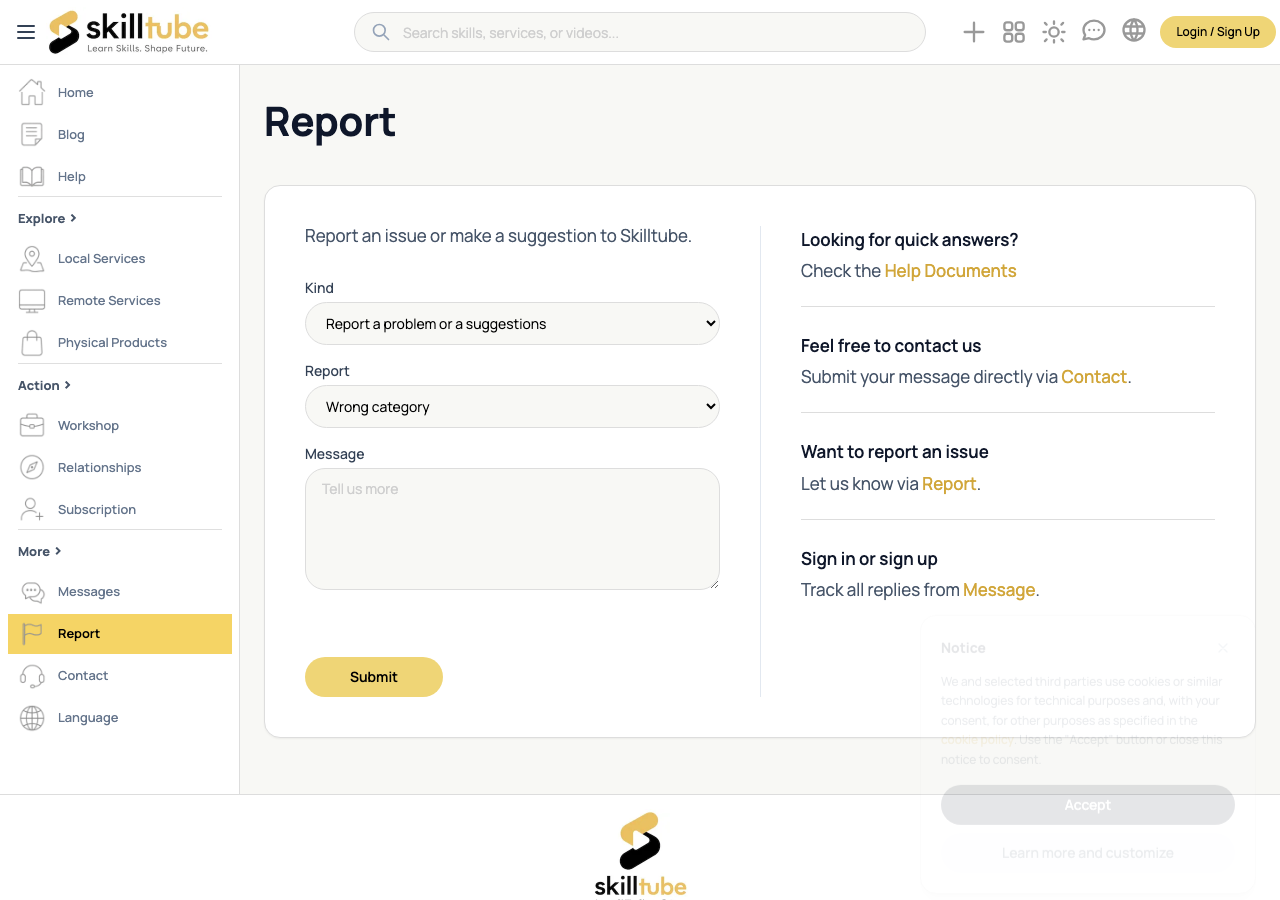
Support Tickets
Need help from the team instead of reporting content?
- On the same page, switch the kind to New support ticket and fill in the subject and description.
- Your tickets are listed under Support in your Dashboard.
What Happens After
- Signed in: the conversation opens right away in the Message Center — you can follow up there.
- As a guest: you receive a case number and an email receipt.
| Status | Meaning |
|---|---|
| Open | Your report is in the queue |
| In review | Our team is investigating |
| Resolved | Action was taken |
| Closed | The case is finished |
Appeals
If you believe a decision about your account or your content was wrong, open a support ticket with:
- The reference number of the original decision
- A clear explanation and any supporting evidence
Appeals are handled through the same form and reviewed independently.
🔍 Tip: We never reveal who submitted a report.
Need help with this page?
Open the Report page to file a report or a support ticket — appeals are handled through the same form.